Changelog
API v2: One API for every platform
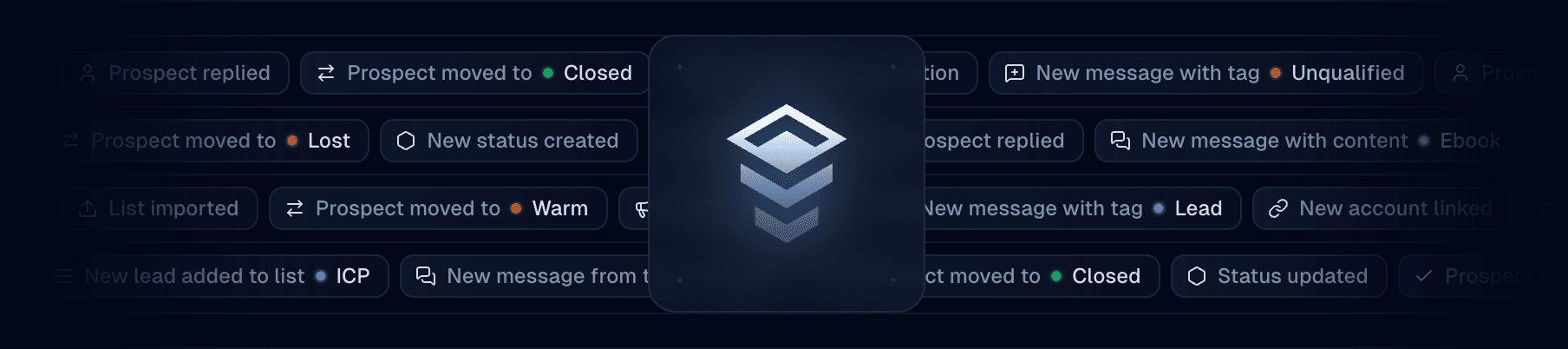
Our second platform will be released soon! To support our new multi-platform product, we are releasing the version 2 of our API and MCP server.
API v2 is live at https://inboxapp.com/api/v2. It works with your existing API token, and it is the version every new platform will ship on.
What's new
One API for every platform — Threads, messages and contacts have the same shape on every platform. GET /platforms tells you what each one supports, so your code checks a capability instead of a platform name.
Contacts and profiles — A prospect is now two things: a profile, the person's account on a platform, and a contact, your team's record of them with its status, tags, notes and valuation.
Retry-safe sends — POST /messages takes an Idempotency-Key header. Retrying with the same key never sends twice.
One way to send — Send to a thread, a contact, or a platform user with the same endpoint. The thread is created with the first message and returned in the response.
Consistent responses — Every collection is { data, nextCursor } and every error is { code, message, details, requestId }, with the codes listed per endpoint.
Leaner webhooks — v2 events name the object that changed and carry only what changed. Replay anything you missed with GET /events.
Send a DM
API v1 is deprecated
v1 keeps working until 3 December, 2026, then stops responding. Every v1 response now carries a Sunset header with that date.
Webhooks you created before today keep their event format. Move one to v2 at any time from Settings → Webhooks.
Resources
Our biggest leads update yet
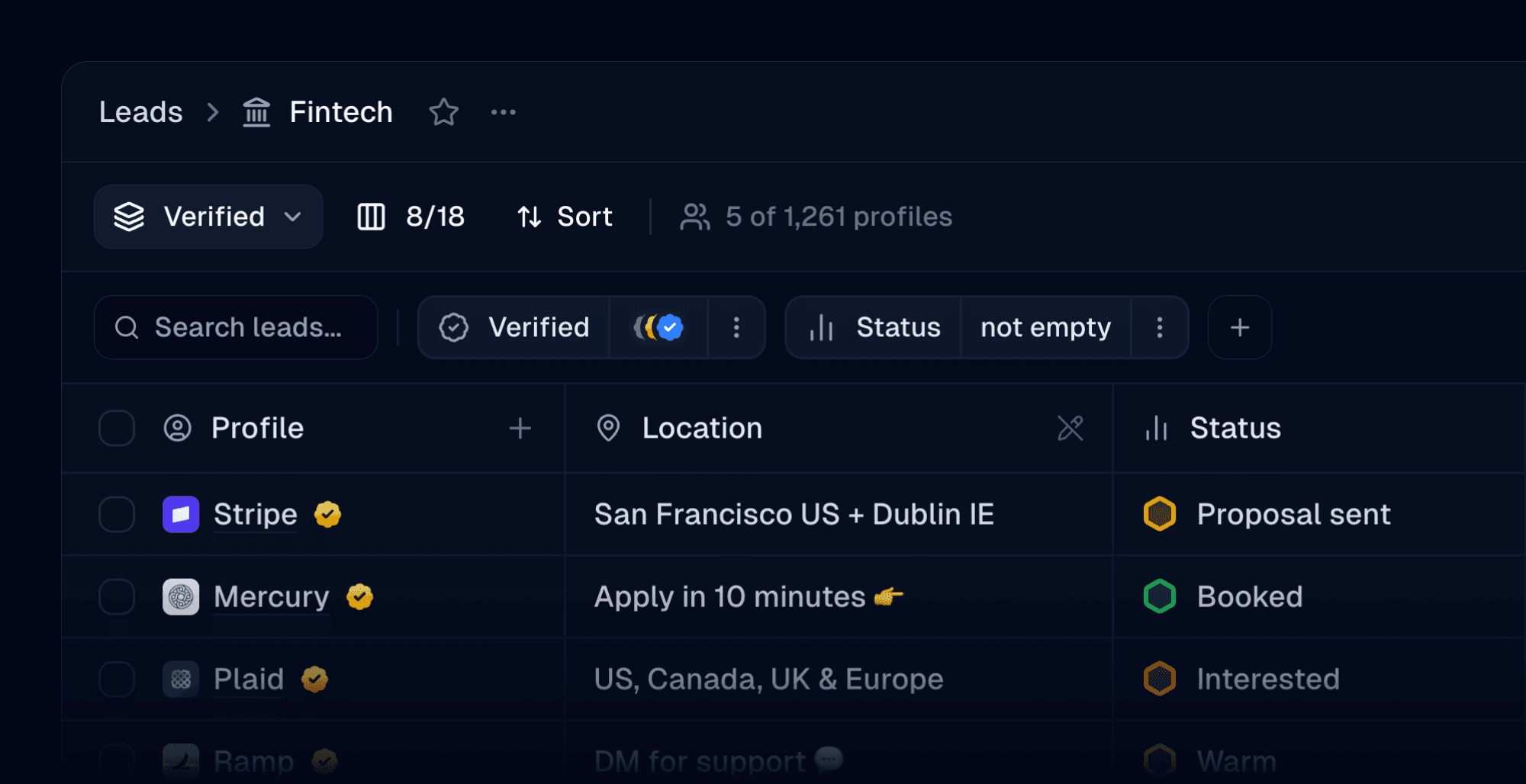
The all-new leads
We're thrilled to finally be launching our revamped leads experience for everyone on Inbox. A new table layout, 18 built-in columns, custom columns, saved views, and the ability to filter and sort by virtually anything — your leads have never given you this much visibility.
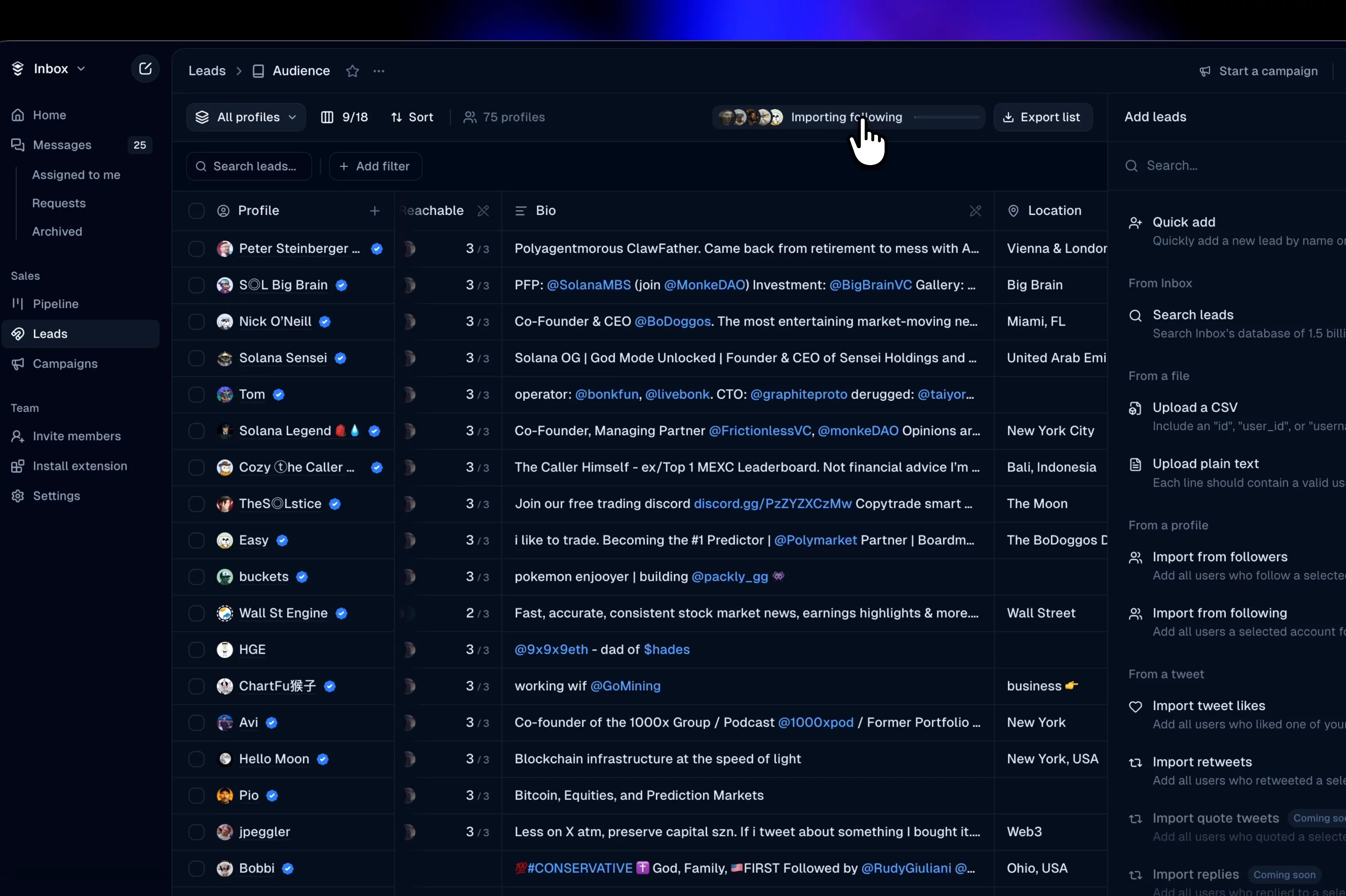
New table layout
18 built-in columns. Profile, followers, following, bio, location, website, reachable, last contacted, and more.
CRM data in every row
Tags, statuses, assignees, notes, and valuation now show up directly in the table. Click any cell to edit it inline. Custom columns from CSV imports appear as columns too, or can be added manually.
Parallel imports
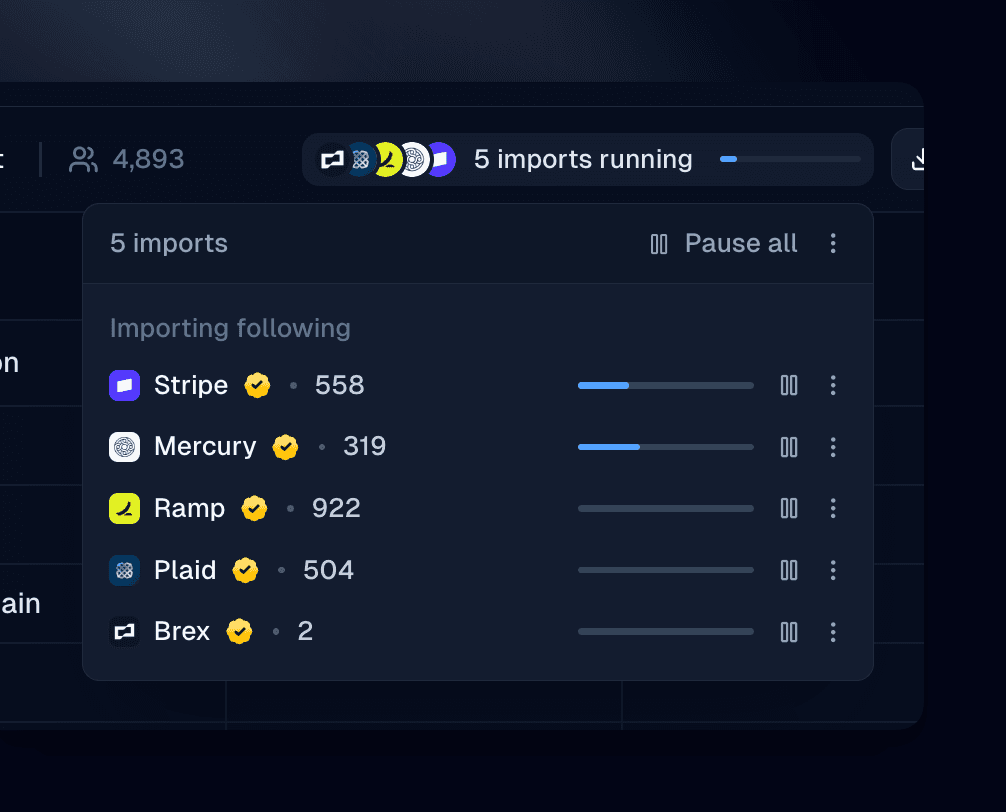
Run up to five import jobs at the same time. Followers, following, CSV uploads, tweet engagements — queue them all and they run concurrently.
Filtering
Filter by virtually anything. Tags, statuses, campaigns, lists, keywords, dates, verification, profile type — combine them however you want. Find everyone with a specific status who hasn't been targeted by a campaign, or leads in a certain list whose notes mention "follow-up."
Reachability
See exactly which of your linked accounts can DM each profile. Every list on the home page also shows its reachable percentage so you know how warm the list is at a glance.
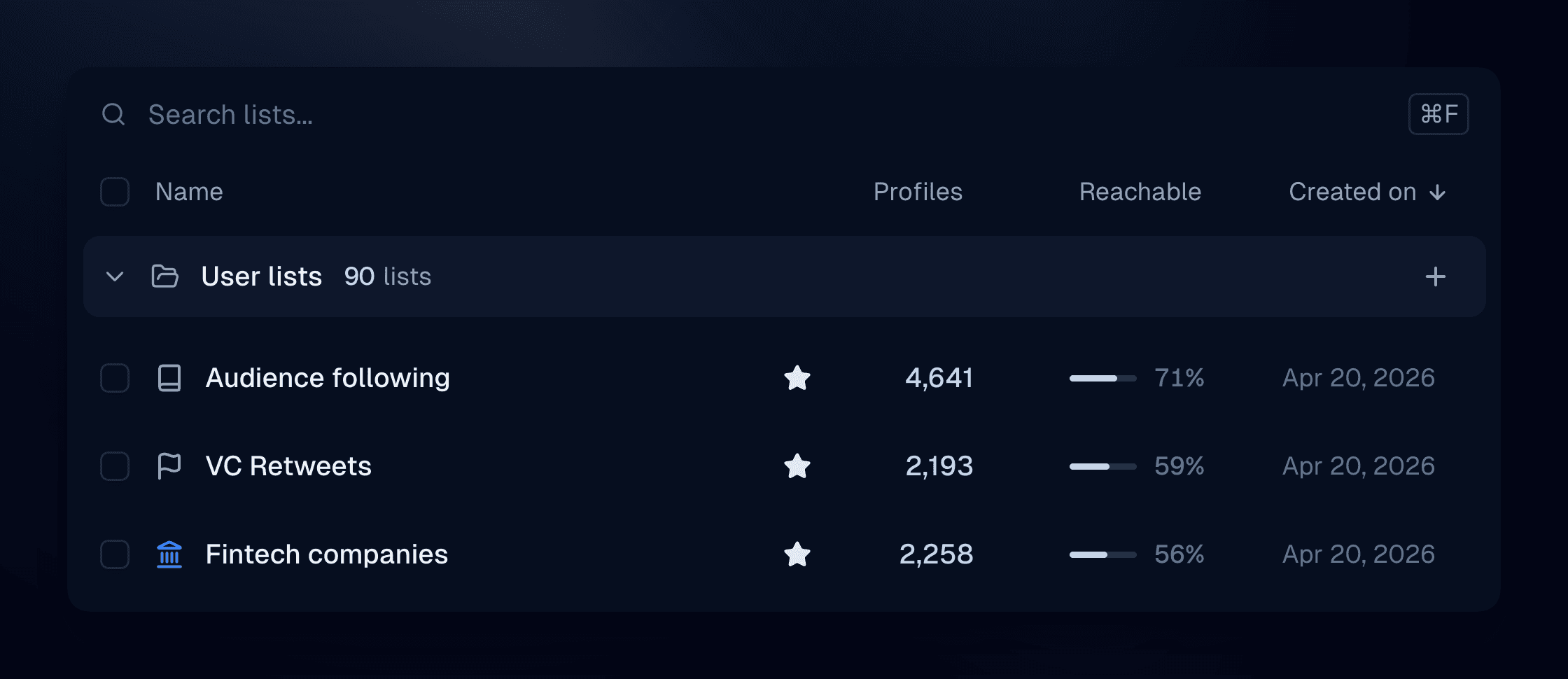
Lists home
A redesigned home page for all your lists. Search, favorite the ones you use most, and bulk-select to delete, duplicate, or start a campaign.
New home dashboard
See people waiting, open conversations, messages sent, activity over time, and a breakdown by assignee and direction.
Other changes
We've also given our app a minor redesign with a few changes to navigation, especially around conversations.
As always, don't hesitate to send us your feedback. We're constantly improving Inbox and would love to hear from you!
Introducing the Inbox API
Programmatic access to your entire Inbox workspace is now available. Send DMs, manage prospects, sync with your CRM, build automations — all through a single REST API.
What you can do
The API covers the following:
Threads — Create, list, look up, update, and delete DM conversations. Look up threads by prospect username or platform ID.
Messages — Send messages, reply to specific messages, edit, delete, and add reactions. Use quick send to create a thread and send a message in one call.
Prospects — Look up prospect profiles, read enriched data (bio, follower count, verification status), and manage context — tags, pipeline status, notes, and valuation.
Tags & statuses — Full CRUD for your team's tags and pipeline statuses. Organize prospects programmatically.
Team & members — Fetch team info, list members, and check account links.
Events — Replay up to 7 days of webhook events via the Events API.
Send a DM in one request
Quick send finds or creates a thread and sends the message in a single call:
Webhooks: 3 events → 32
Previously, webhooks only supported three campaign target events (targetContacted, targetFollowUpSent, targetReplied) with a legacy payload format.
Now there are 32 event types across 7 categories: threads, messages, prospects, tags, statuses, campaigns, and targets.
The new payload schema includes sequence numbers for ordering, unique event IDs for deduplication, and full prospect context (tags, status, notes, valuation) in every event.
If you're on the old format, you can switch over at any time by selecting a webhook in Settings → Webhooks and clicking on “Switch to latest.”
What you can build
Outreach automation — Import a list of leads and send personalized DMs at scale. The API handles thread creation and message delivery; you control the content and pacing.
CRM sync — Subscribe to message.created and prospect.statusChanged webhooks to keep HubSpot, Salesforce, or your internal tools in sync with every conversation.
AI-powered replies — Listen for incoming messages via webhooks, run them through your LLM, and post responses back through the API. Qualify leads, answer questions, route to your team when needed.
Lead qualification — Pull prospect data (follower count, bio, verification status) and automatically tag or assign pipeline stages based on your criteria.
Team routing — Use thread.created webhooks to assign new conversations to team members based on keywords, prospect attributes, or round-robin logic.
Custom dashboards — Query threads, messages, and prospect context to build analytics — response rates, pipeline velocity, team performance — tailored to your workflow.
Getting started
-
Generate an API token in Settings → API
-
Set it as an environment variable:
export INBOX_API_TOKEN="your_token_here" -
Make your first request:
Resources
Send your first DM in 5 minutes
Understand threads, prospects, and the data model
X Chat support and thread upgrades
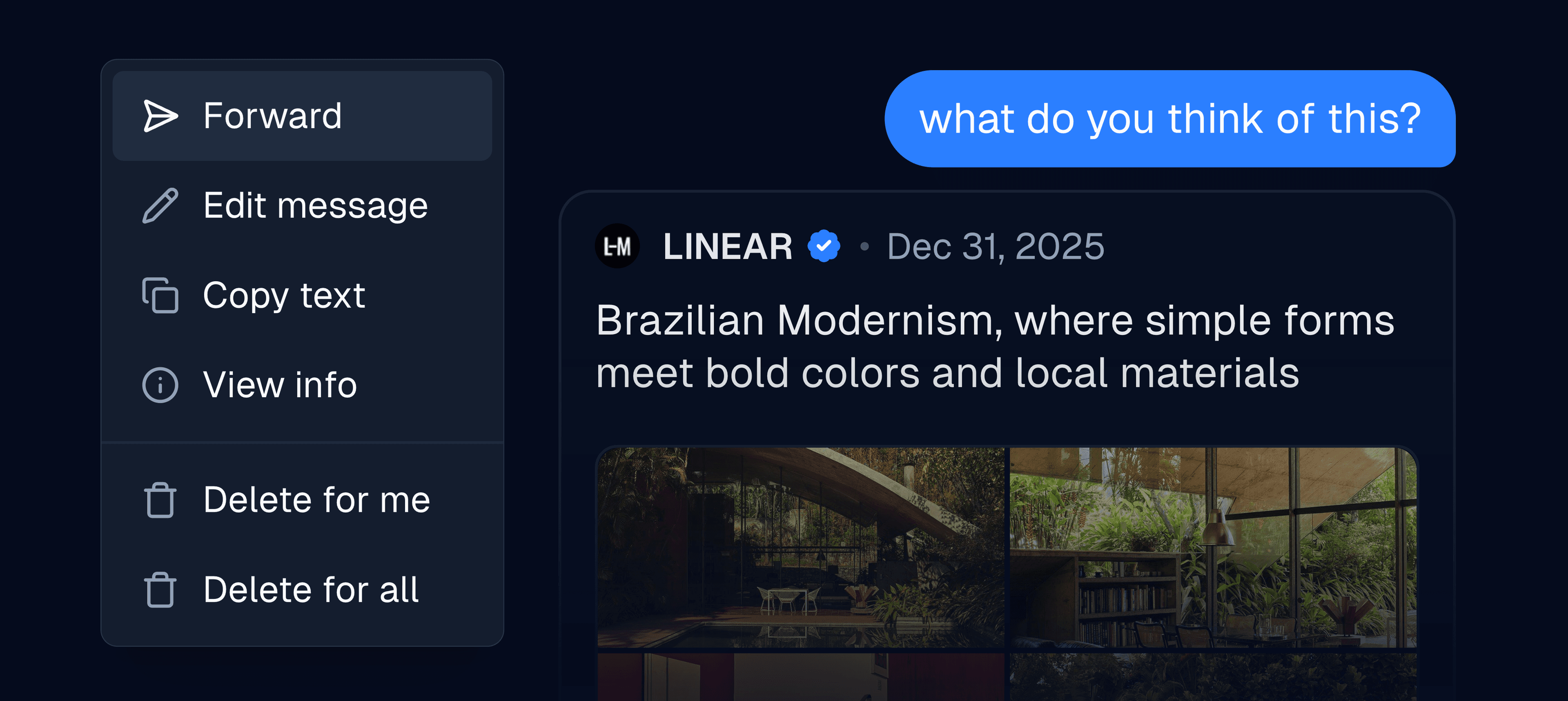
Support for X Chat has finally arrived, featuring end-to-end encrypted messages, file uploads, larger video and image uploads, message forwarding, and more.
In addition to that, Inbox now fully supports videos and GIFs, as well as displaying tweets.
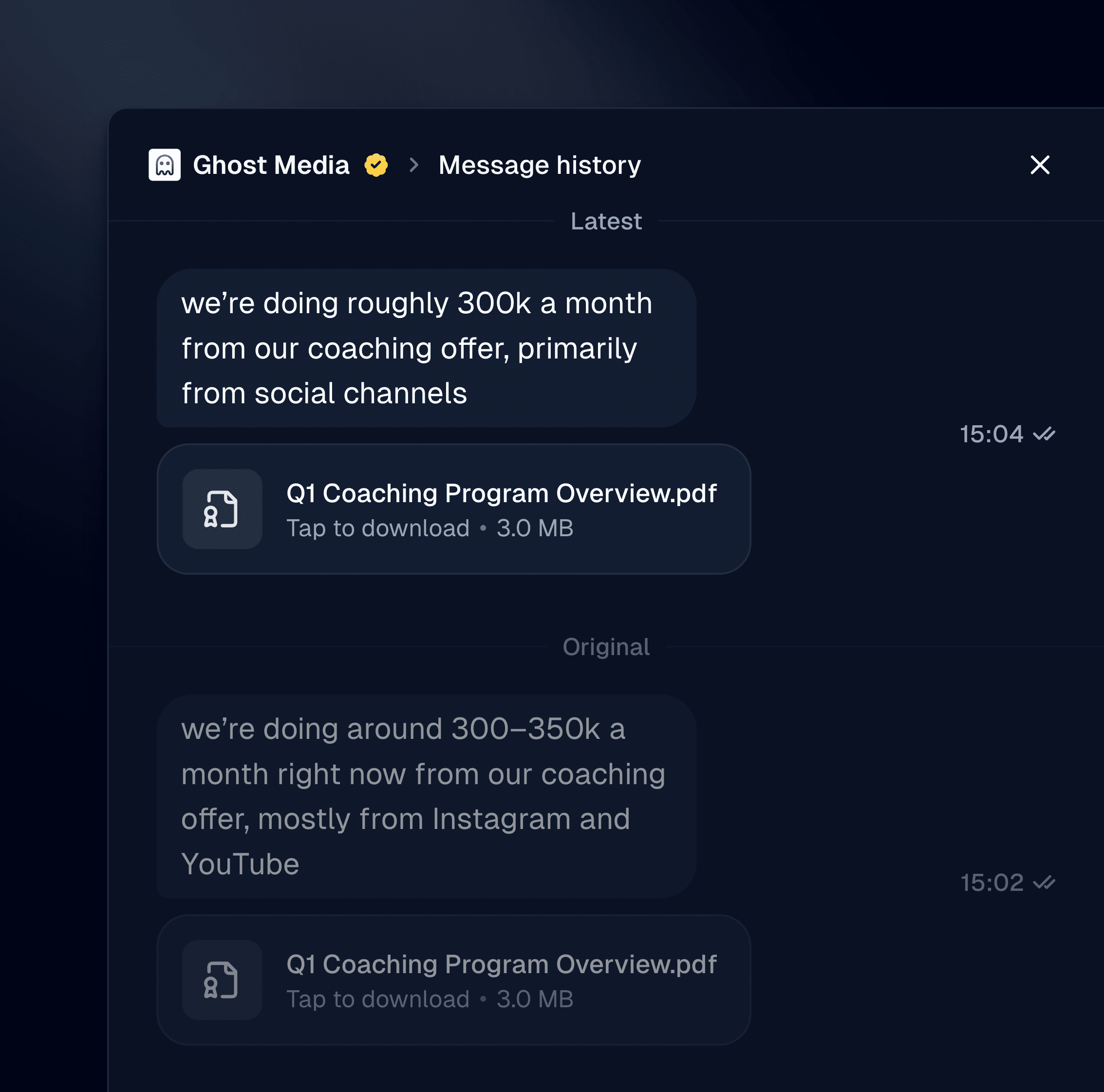
Editing and deleting messages
For encrypted threads, Inbox now shows message history; a feature not available on X. View all previous version history of a message, even if it was deleted.
Message forwarding
X Chat enables support for quickly forwarding messages. Currently this is restricted to plain text, but we’ll be expanding this as X develops the feature.
Video, GIF, and file support
You can now upload videos, GIFs, and files via Inbox, and we’ve added a GIF picker in the chat bar too.
Overall chat improvements
We’ve fixed almost all of the issues and annoyances with the threads view, improved how reactions are handled, and now do a better job preserving your draft state for messages not sent yet.
Stability improvements
Inbox’s messaging should now feel faster, snappier, and more reliable.
Revamped search and leads
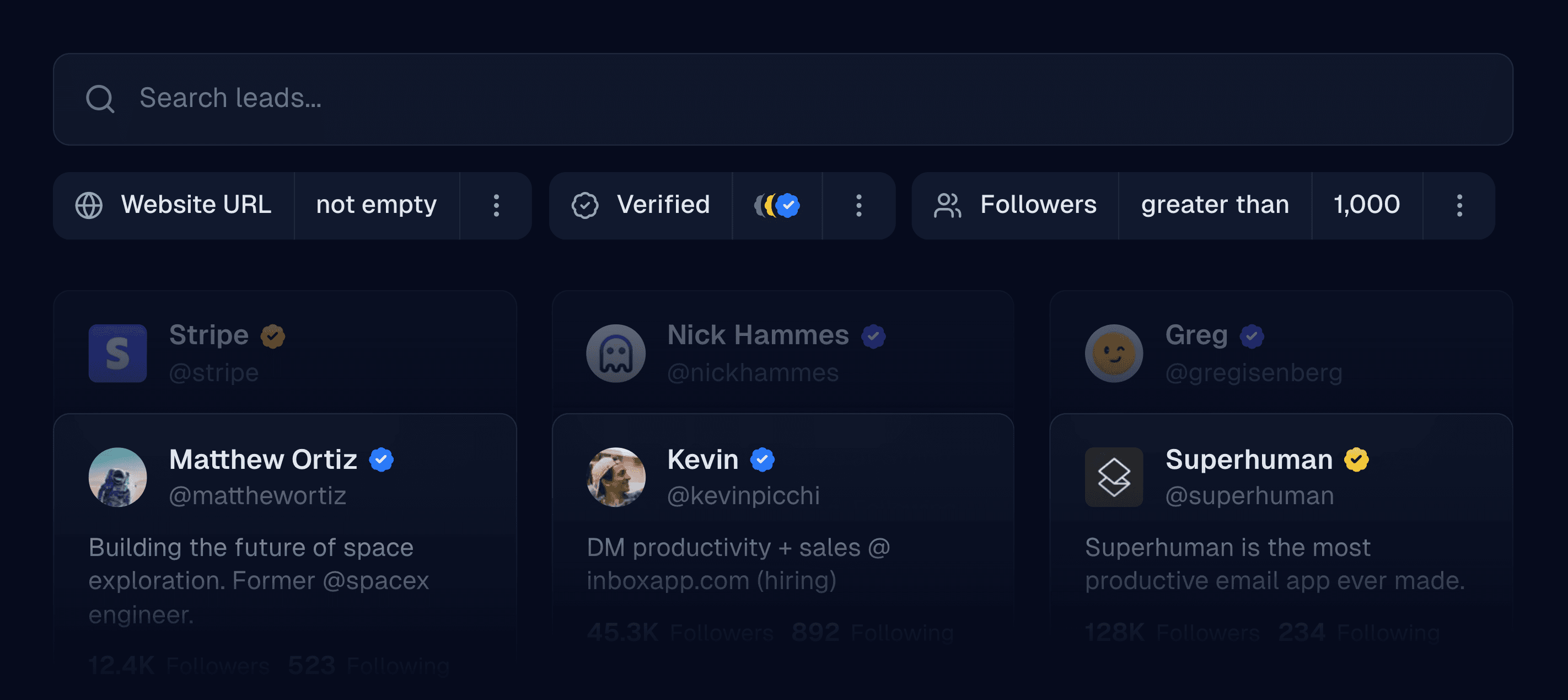
Upgraded leads
We’ve spent the past month focused on significantly improving the experience with leads—everything from searching our prospect database, uploading CSVs, scraping from a user’s followers, and more.
New properties
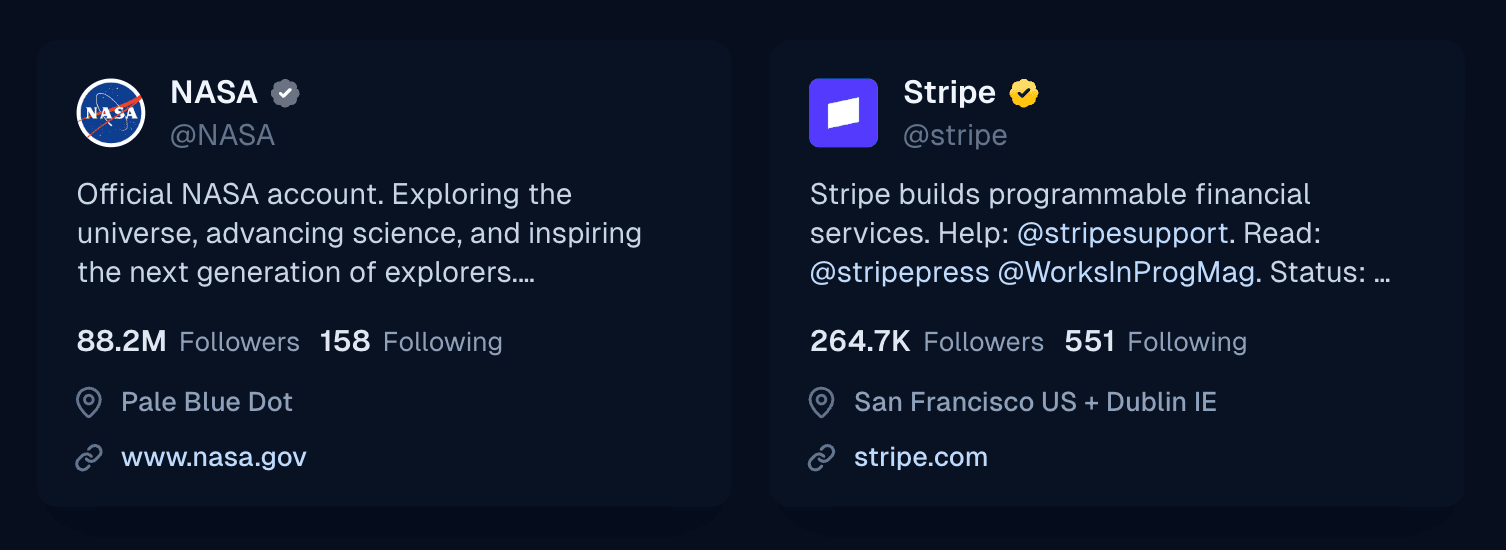
Inbox now displays business and government accounts in leads, as well as throughout the entire app. Leads now include profile links, and we’ve added support for handles, hashtags, and cashtags in bios across the app.
New filters (currently in beta)
Leads can now be filtered by verification type, website URL (including domain filtering), and profile type (personal, business, or government accounts). This feature is currently in beta, so some results may be stale for the first approximately seven days.
Improved concurrent imports
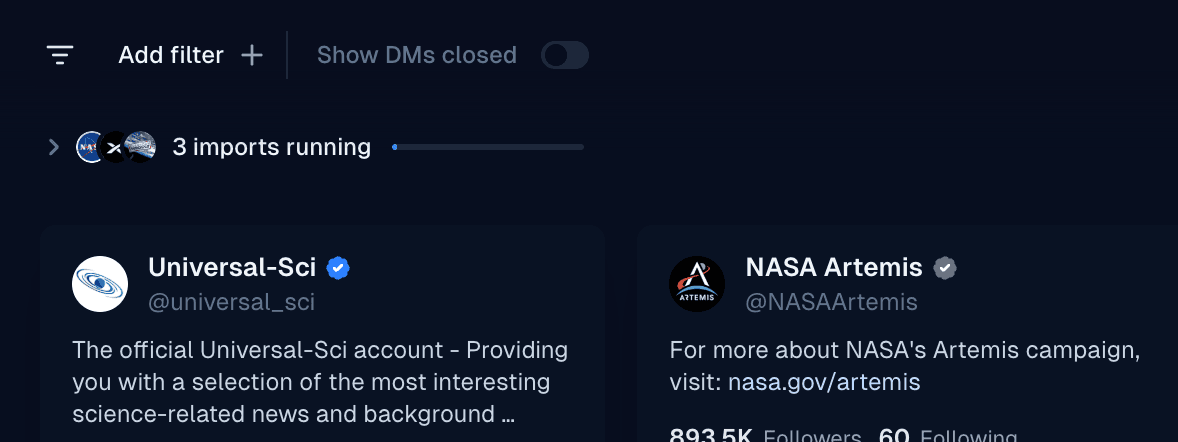
We've significantly enhanced visibility when importing from multiple sources simultaneously. The displayed imports now feature a combined progress bar and can be expanded to manage each import individually.
We've also made CSV uploads and importing from our prospect database much faster.
Better search
You can now search for handles, hashtags, and more terms that contain special characters in a person’s bio. Previously, filtering users by bio contains “@google” was unsupported.
Selected lead actions have moved
When selecting leads, a menu will now appear from the bottom of the screen containing actions.
Performance improvements for large lists
We’ve made filtering and searching large lists (anywhere from 100K to 2M profiles) much more performant.
Support for bulk-archiving conversations
You can now more easily clean up your inbox by heading into Settings → Threads, and bulk archiving your conversations across all or only specific accounts.
General performance improvements
Inbox is now considerably more performant for teams with lots of conversations, lists, and campaigns.
Reminders for threads
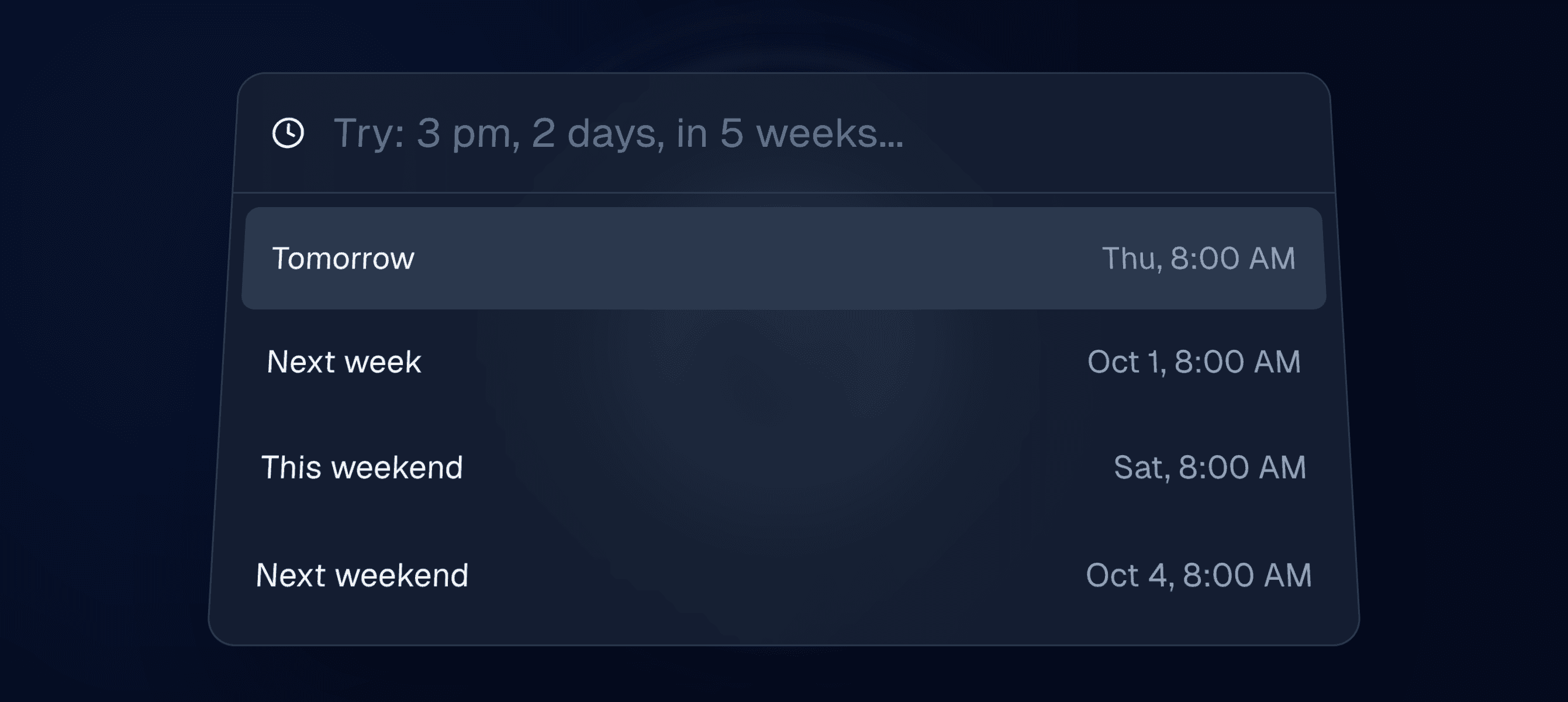
**Reminders for conversations have arrived. **Reminders automatically mark a thread as done, and it will reappear in your inbox if the other person hasn’t replied by the specified time.
Simply right-click on your conversation and select "Remind me…" or use the H shortcut when in a thread.
Do more from right-click menus
We've added more functionality to context menus when navigating threads. You can now change statuses, set an assignee, assign tags, and more—directly from the right-click menu.
Save leads segment to a new list
We've made it easier to save your filtered view when searching in a list. You'll now see an option to save your current filtered segment as a new list.
Campaign list and prospect improvements
Lists
We've improved several flows for creating campaigns and simplified the refreshing of campaign lists when updates occur. Prospects will refresh in the background and will be targeted as soon as they are ready.
Prospects
We now display a "ready" column in the stages view. Prospects eligible for messaging, with their DMs open, will be moved to this column before a campaign begins sending messages to them.
Prospects with closed DMs will be quietly filtered out from "pending" and will not appear in this column.
Campaign webhooks

Campaign webhooks have arrived, allowing you to receive events for replies, new targets contacted, and targets followed up on. Read our docs to learn more about how webhooks are structured.
Thread improvements
We have resolved numerous performance and state issues for teams handling very high volumes of conversations.
Pipeline improvements
We’ve heard your feedback—the pipeline now uses the same “quick peek” chat interface for conversations as everywhere else in the app.
Better support for large CSV imports
We've improved performance for uploading large CSV files to lists.
TweetDM is now Inbox

We've rebranded to Inbox to pave the way for the future of our platform, where creators, networkers, and businesses can turn conversations into conversions on any platform.
Sort by oldest messages
Threads can now be sorted by recency in the opposite direction, with any view or filter.
Improved campaign reporting
Campaign analytics are now more precise, and update after a campaign has been completed.
Coming soon — campaign webhooks and reminders
We've been making infrastructure changes in preparation for webhooks and reminders, which will be implemented in the coming weeks.
Unified inbox
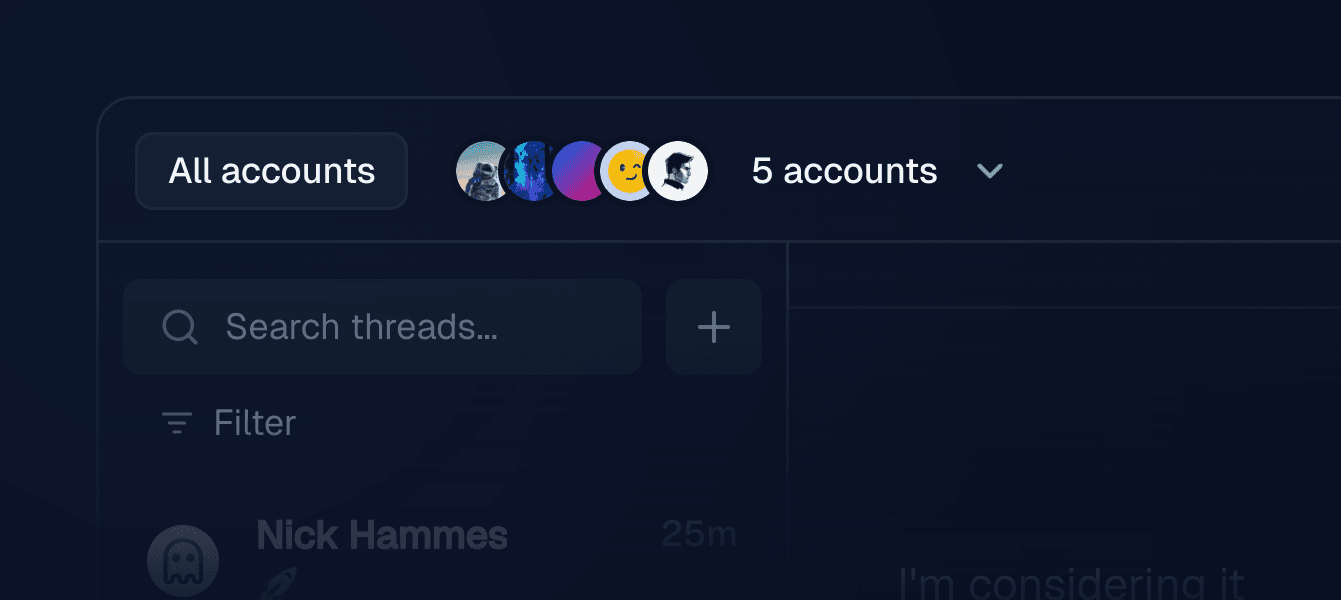
We're excited to finally introduce a unified inbox for managing all of your accounts in one view. Separate inboxes still apply as before—assigned conversations, no reply, unread, and archived threads now supporting multiple accounts.
New unread badge
We’ve added an unread badge as well as a filter indicator to the inbox navbar for improved context.
New inbox filters
In addition to filtering by tags and statuses, you can now filter by thread assignee as well as conversations targeted by one or more campaigns.
Revamped inbox and custom variables in campaigns

We've upgraded our entire inbox and pipeline experience to be even more performant, now easily scaling to hundreds of thousands of conversations. Inbox zero indicators have also been added, along with an improved search.
Custom variables in campaigns
You can now upload a CSV file and select which columns to import as custom variables. They'll be available in your editor with the same {variable} syntax as {first-name}.
Variable fallbacks
Clicking on a variable in the editor now supports adding a fallback, in case the variable is empty for a certain prospect.
New importers
We've added support for importing X/Twitter list members and list followers as additional sources.